Client booking
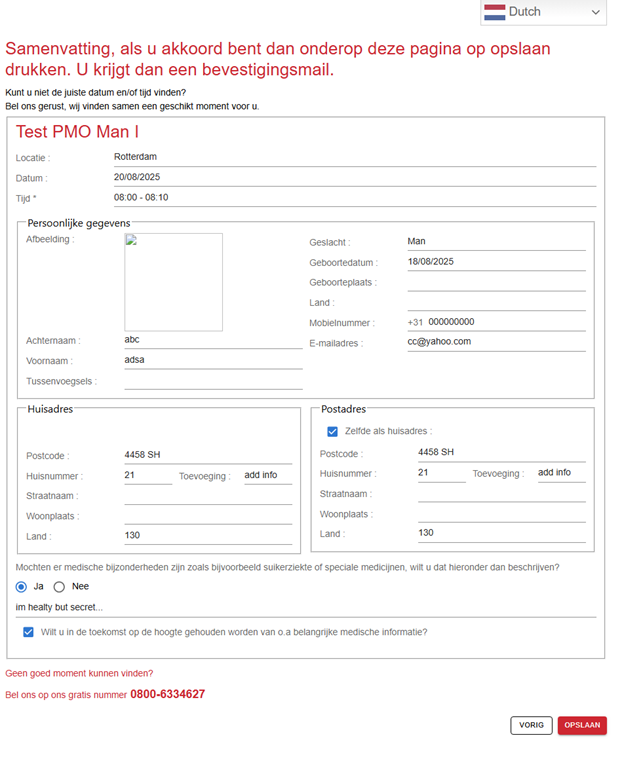
We will provide a specific code for each company name and appointment type. You can type in/encode in this (link) or through this website, Medimark.nl, the assigned code and encode other data to complete the booking. See sample booking screens below to book your appointment.
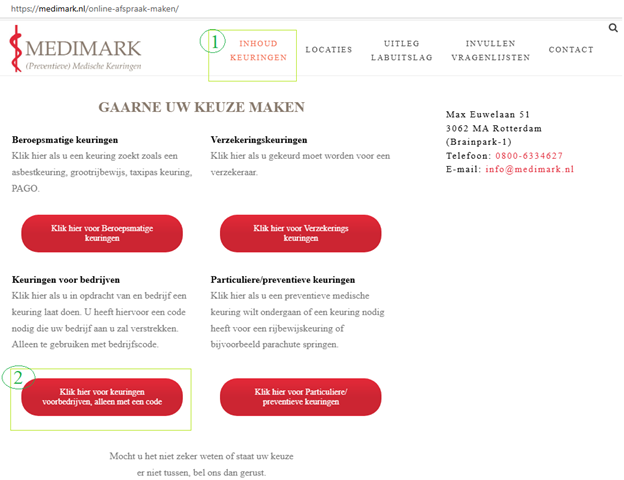
- Click the Inhoud keurengen in medimark.nl home page.
- Click the Klick hier voor keuringen voorbedrijven, allen net een code button and click OKE. Answer all the information (see Booking screens sample below) to complete the appointment.
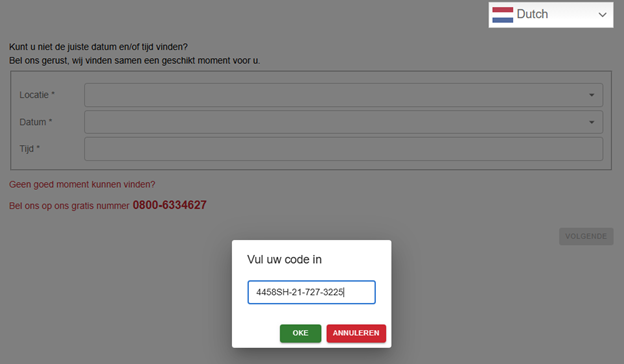
Booking screens (sample)
Answer data for all screens and click OPSLAAN to save on the last screen.
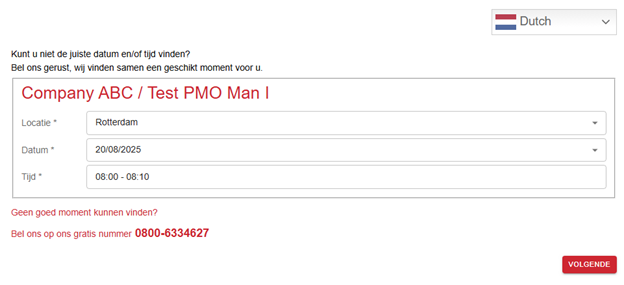
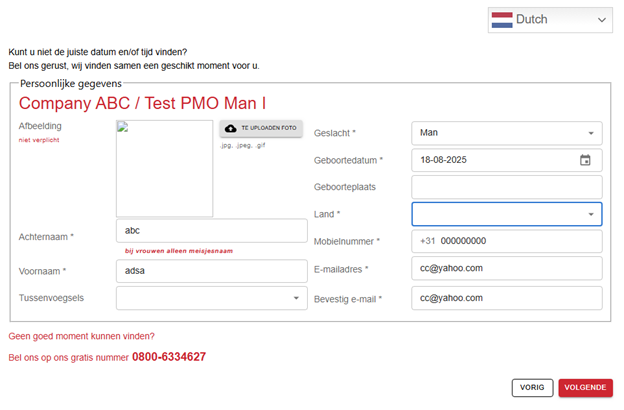
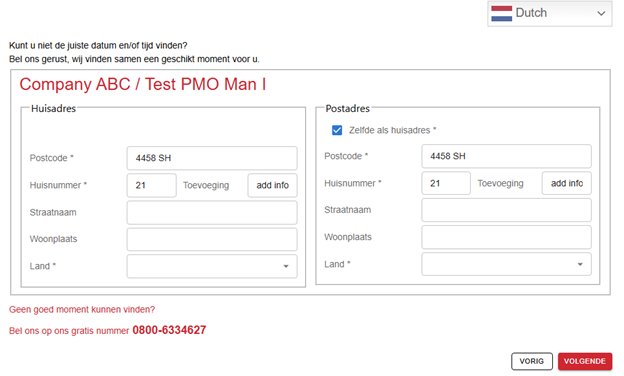
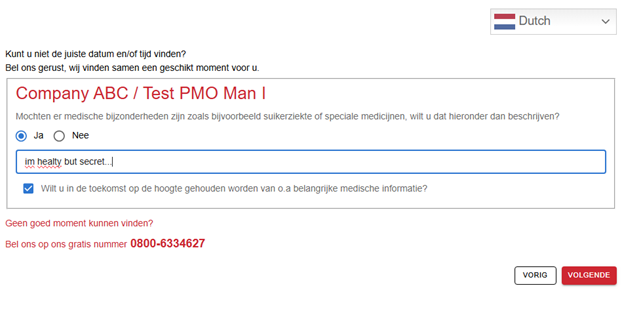
See video
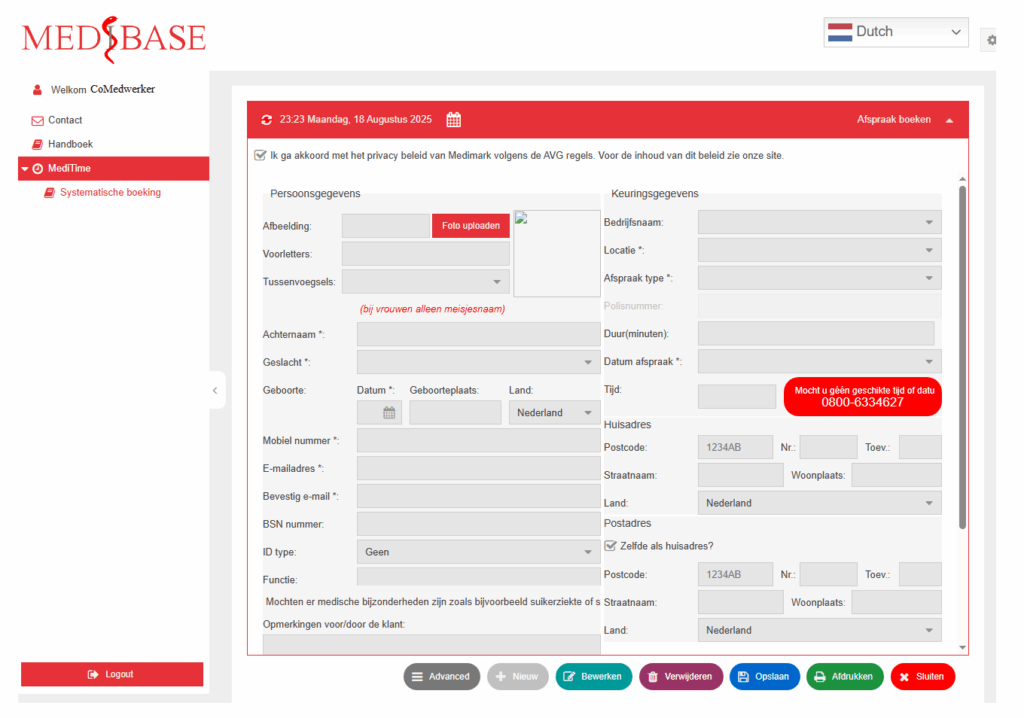
Employee booking
In this module, a company will assign somebody to make bookings for all their client(s). We will provide a username and password. This user can only make bookings. See screen below.
Email confirmation / questionnaire
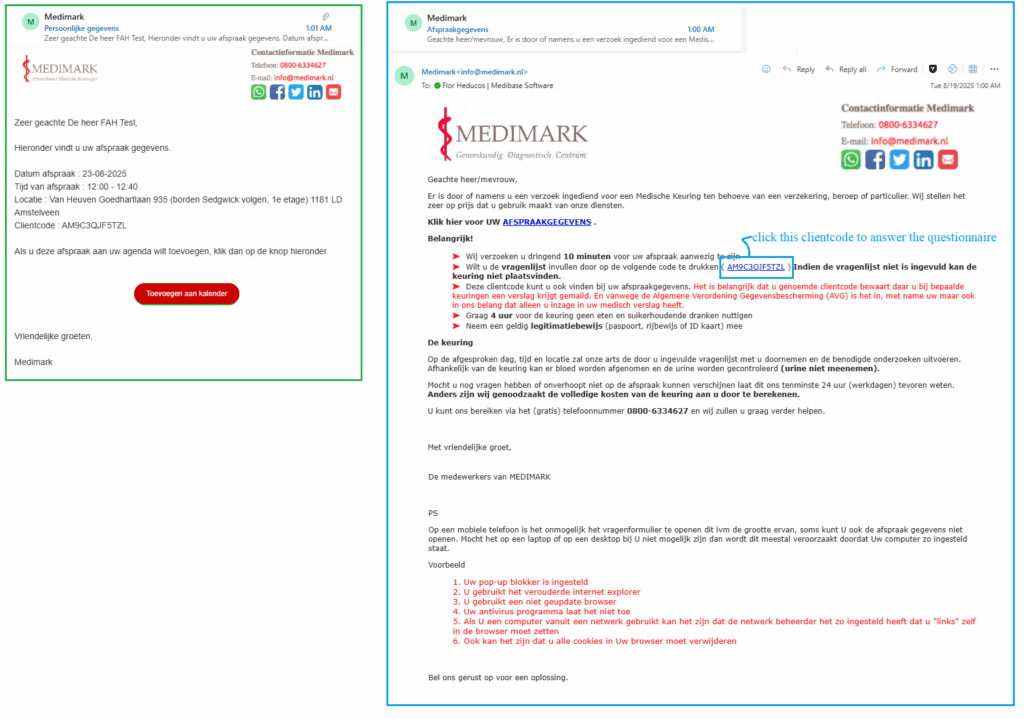
After saving your booking, the system will send two email confirmations.
- Persoonlijke gegevens – allows the client to add the booking date in his/her calendar.
- Afspraakgegevens – in this email you can print your booking details and answer the questionnaire.
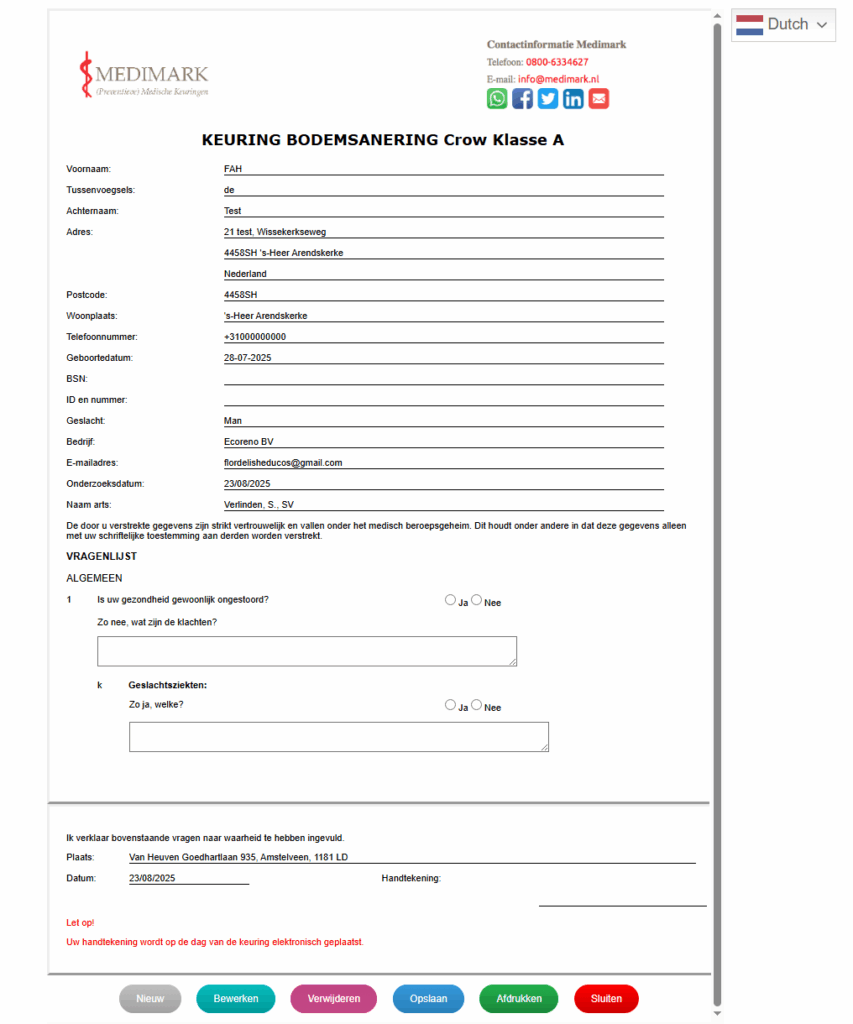
Questionnaire form
View booking
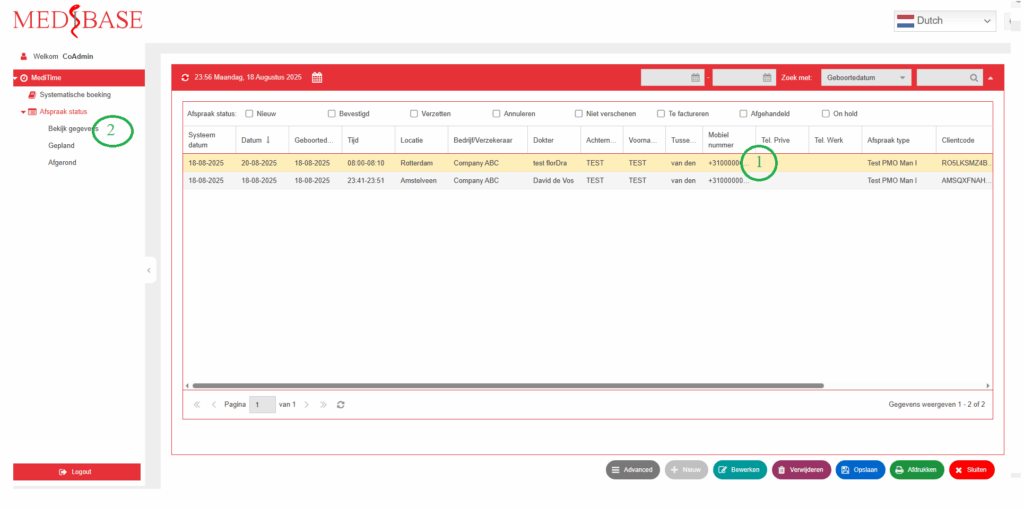
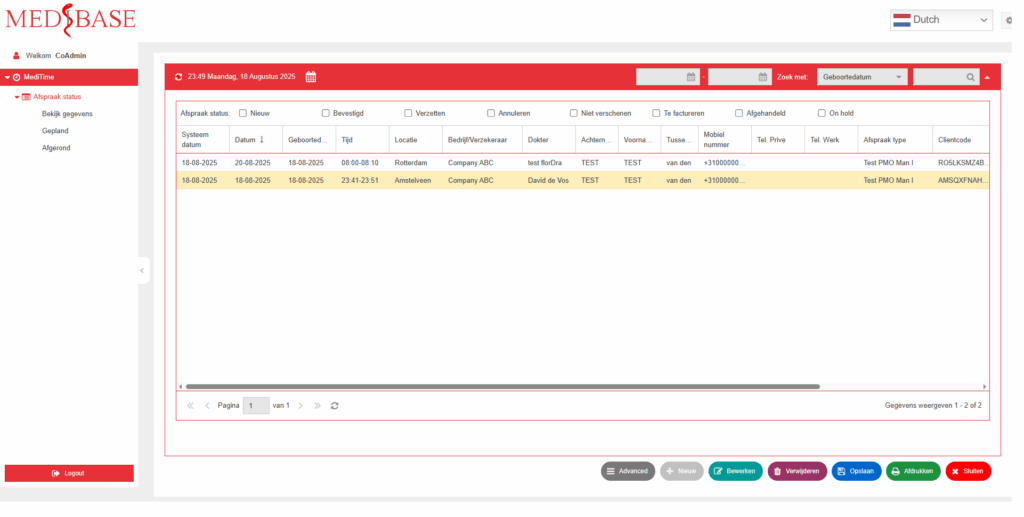
Admin/Hr team can only view bookings in grid form or booking details made by client(s) or Employee.
List of bookings
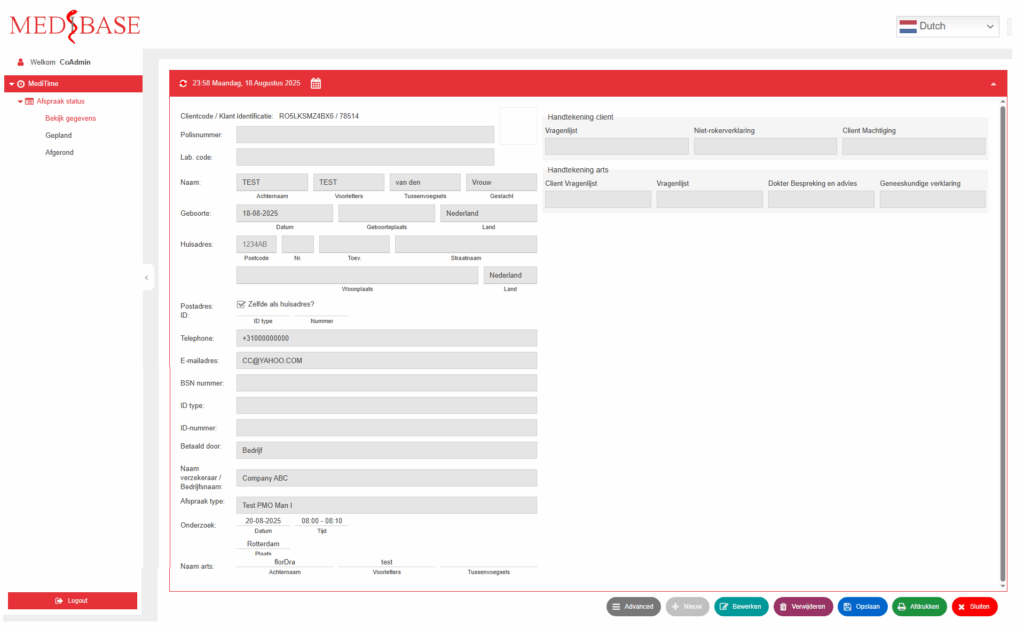
Booking details
- Click any row in the booking list.
- Click Bekijk gegevens to display the booking details (see image below)